

Quick answer
What this guide helps you do
Choose a small first self-hosted stack with backups, private remote access, media and file sync—without exposing fragile services or deploying everything at once.
Quick answer
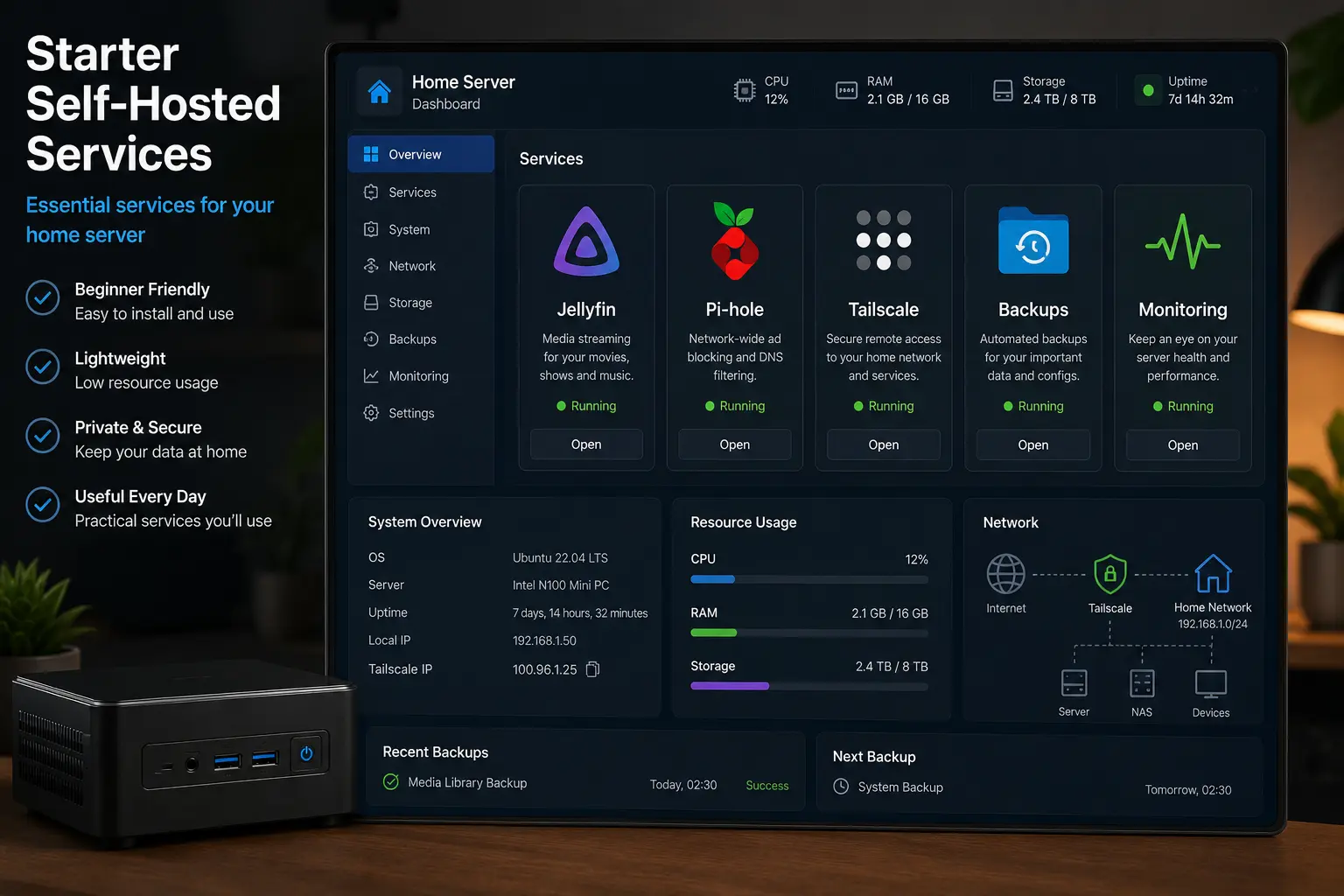
Start with services that are useful, recoverable and low-risk:
- a backup target and tested restore routine
- Tailscale or another private remote-access path
- Jellyfin, if you already have media to serve
- Syncthing, if you need device-to-device file sync
- Pi-hole or AdGuard Home only after you have a DNS recovery plan
Install one service at a time. Use it for several days, document its data and recovery path, then decide whether the next service is worth operating.
Do not begin with public email, a password manager, home-security controls or a stack of internet-facing dashboards. Those services impose consequences that are disproportionate to a first home lab.
Prepare the host before choosing applications
A starter stack needs a boring foundation:
- a supported operating system with current security updates
- a static DHCP reservation or stable local address
- enough storage for application data and backups
- known mount points that survive a reboot
- an administrator account with working local or console access
- a separate destination for backups
- Docker Engine from a supported package source, if using containers
For new Ubuntu Server builds, SmallGrid uses Ubuntu 26.04 LTS as the current reference where the procedure has been verified. Existing 24.04 LTS systems do not need to be rebuilt merely to change the version number.
If Docker is your application platform, follow How to Install Docker on Ubuntu Server and learn Docker Compose for beginners before adding services.
Use a service-selection test
| Question | A good starter answer |
|---|---|
| What problem does it solve? | A task you already perform |
| Who depends on it? | You, or a small tolerant household group |
| Where is its persistent data? | One documented directory or volume set |
| How is it backed up? | A scheduled copy to another device |
| How is it restored? | A written, testable procedure |
| Does it need the public internet? | Prefer no; use private access first |
| What happens when it is offline? | Inconvenience, not lockout or danger |
If the data path, restore plan or exposure is unclear, the service is not ready to deploy.
1. Backups come first
Backups are the first service because every later application creates state you may care about.
Start with a method you can understand while tired:
- a versioned backup tool such as restic or Borg
- a well-designed file copy for simple data
- Proxmox guest backups for VMs and containers
- an off-site or disconnected copy for important data
Do not rely on RAID, snapshots or a second internal disk as the only backup. They do not protect against every hardware failure, deletion, malware or theft event.
Use the 3-2-1 backup guide and complete at least one restore test before the stack grows.
2. Add private remote access
Tailscale is a sensible early service because it can provide authenticated private access without publishing each dashboard directly to the internet.
Good first uses include reaching the server over its private tailnet address, administering the lab while away from home, and accessing Jellyfin without opening its web port on the router.
Keep local console access and do not remove the normal LAN path until remote access has been tested. Follow the vendor’s current installation method rather than copying a stale curl-to-shell command from an old article.
Use Tailscale’s current Linux installation guide and keep the service limited to the private access you actually need.
3. Add Jellyfin if you already have media
Jellyfin is a rewarding first application because success is easy to observe: users sign in, libraries scan and a known file plays.
Before installation, decide:
- where media is mounted
- where Jellyfin configuration and metadata live
- which user owns the files
- whether direct play is sufficient
- whether hardware transcoding is actually needed
- how configuration is backed up
Use Jellyfin on Ubuntu as the starting hub. Keep Jellyfin 10.11 on the latest stable 10.11.x patch after an offline backup; treat Jellyfin 12 as a separate major migration.
Do not use an unpinned latest image as your entire rollback plan. Record the resolved image digest or version and preserve matching application data.
4. Add Syncthing for device-to-device files
Syncthing is useful when the goal is to keep selected folders consistent across devices without turning the home server into a public cloud service.
Start with a disposable test folder. Confirm:
- both devices identify each other correctly
- file changes propagate in each intended direction
- deletion behaviour is understood
- versioning is configured where needed
- the server copy is backed up separately
Sync is not backup. A mistaken deletion can synchronise perfectly.
5. Add network DNS filtering last
Pi-hole or AdGuard Home can reduce unwanted DNS traffic across the network, but a DNS mistake can make every device appear offline.
Before changing the router:
- record its current DNS settings
- know how to restore them locally
- give the DNS server a stable address
- decide whether a secondary resolver is appropriate
- test from one client before changing the whole network
- confirm the service starts after reboot
Do not expose the admin interface or DNS service directly to the public internet.
A realistic resource budget
Actual usage varies, but this starting estimate prevents overcommitting a tiny host.
| Service | CPU pattern | Memory starting point | Storage concern |
|---|---|---|---|
| Backup tool | Bursty during jobs | 256–512 MB | Destination capacity and retention |
| Tailscale | Usually light | 128–256 MB | Minimal |
| Jellyfin | Light when direct playing; high when transcoding | 2 GB or more | Media, metadata and cache |
| Syncthing | Bursty while scanning or syncing | 512 MB–1 GB | Synced data and version history |
| Pi-hole/AdGuard Home | Usually light | 256–512 MB | Query logs and configuration |
Leave headroom for the host, filesystem cache, backups and temporary update activity. Measure your real workload instead of treating the table as a guarantee.
A four-week starter plan
Week 1: foundation and recovery
- patch the host
- document disks and mounts
- configure the backup destination
- back up host and application configuration
- restore a test file
Week 2: private administration
- install Tailscale using its current official instructions
- test LAN and remote access
- keep router ports closed
- document how to regain access locally
Week 3: one useful application
- choose Jellyfin or Syncthing, not both
- document its persistent data
- back it up
- complete a real acceptance test
- observe logs and resource use for several days
Week 4: review before expanding
- restore the application’s configuration in a test location
- review update instructions
- add the second application only if the first is boring to operate
- consider DNS filtering only with a rollback plan
Acceptance test for every service
- The service starts after a controlled reboot.
- Its persistent data paths are documented.
- A backup includes those paths and required secrets.
- A representative user task succeeds.
- Logs show no repeating errors.
- Resource usage is acceptable.
- The update method is documented.
- The service can be reached only through the intended networks.
- Removal or failure will not lock you out of the lab.
What not to self-host first
Delay these until you have strong monitoring, backups, recovery evidence and security experience:
- primary email
- the only copy of a password vault
- internet-facing file sharing for other people
- identity or single-sign-on for every household service
- door locks, alarms or other safety-critical controls
- finance or medical records without a mature protection plan
- a public reverse proxy simply to expose every dashboard
The question is not whether software can run on a mini PC. It is whether you want responsibility for its availability, security and recovery.
Recap
recovery first
→ private access
→ one useful application
→ verification and observation
→ the next service only when operations are boring
That pace creates a home lab you can trust instead of a collection of containers you are afraid to update.